
Listen to The VRverse Podcast

Review: bHaptics FPS Bundle
- August 7, 2025
- 4:25 pm
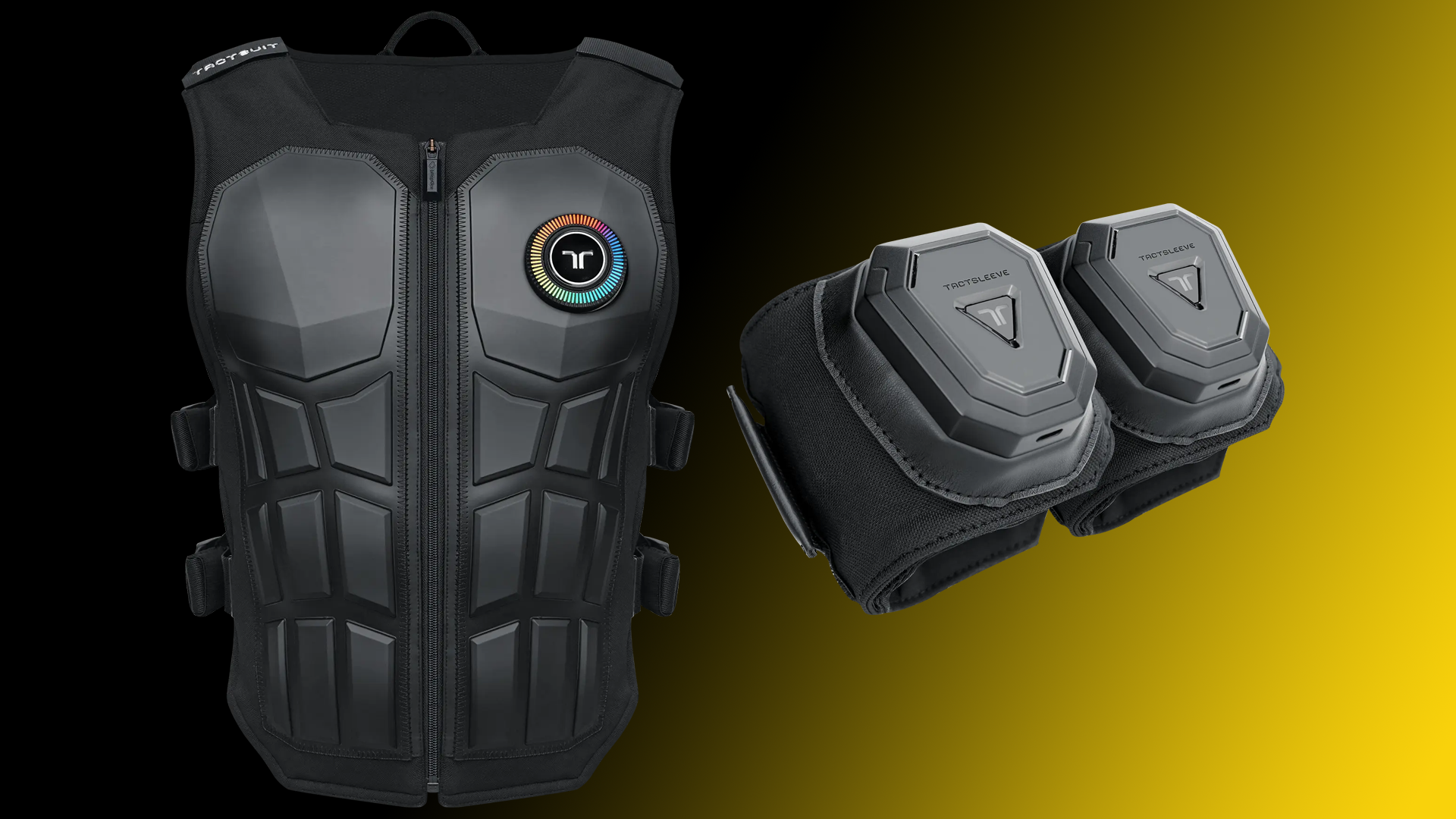
After winning a bHaptics Tactot Vest in 2019, I quickly realised the impact of haptics on immersion in virtual reality. Since then, bHaptics has rolled out numerous upgrades and improvements to their products. The bHaptics team kindly supplied me with the bHaptics FPS bundles, giving me the opportunity to test their TactSuit Pro and TactSleeves. But did their newest peripherals leave a lasting impression?

Brand: bHaptics
Price: US $698
Reviewed On: PCVR / Meta Quest / PSVR2
* Product Provided For Review *
What’s In The Box?
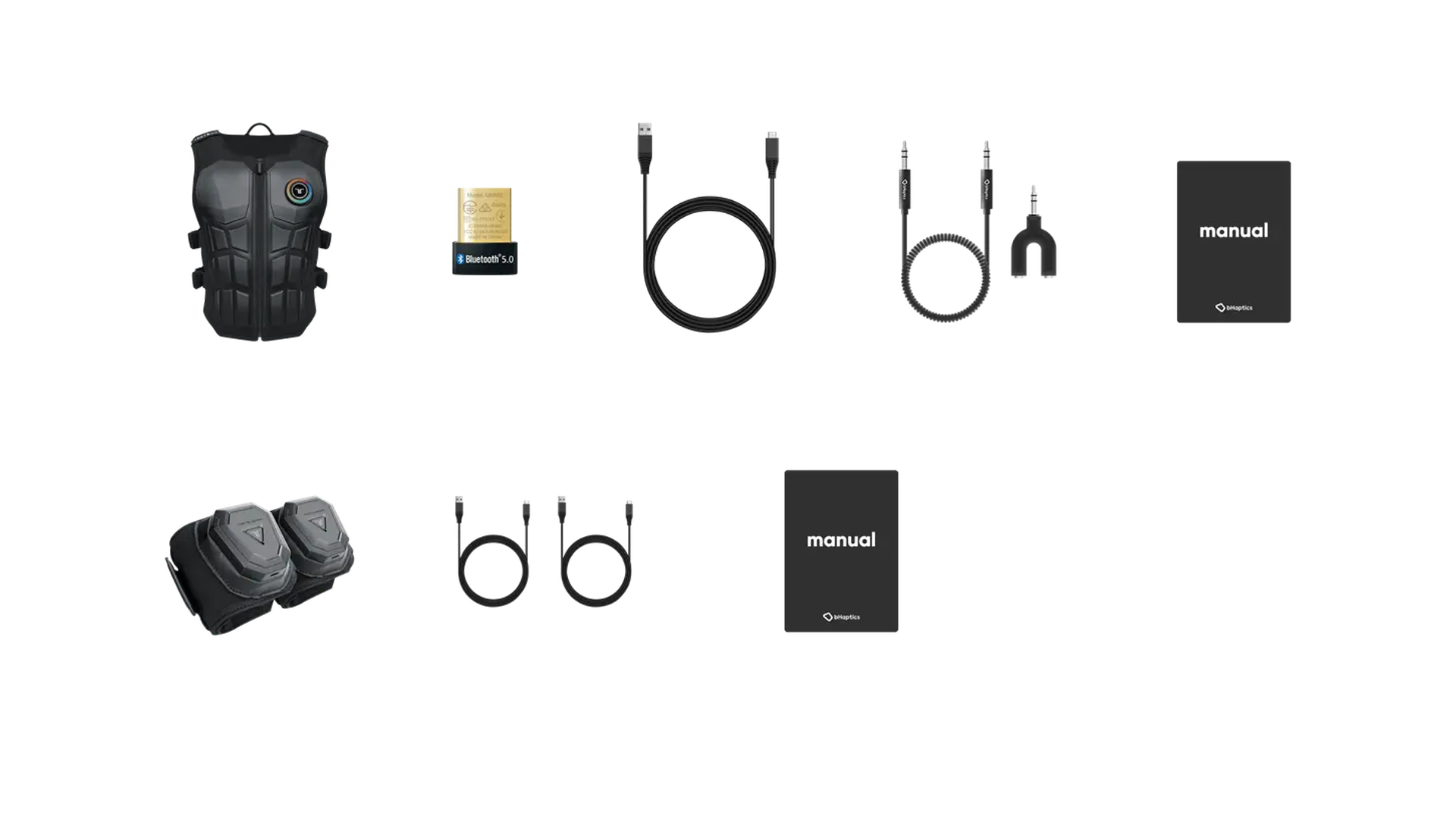
Inside the box, you will find the TactSuit Pro, two TactSleeves, a Bluetooth dongle, three USB Type C charging cables, TactSuit audio accessories, user manuals, and a sheet of bHaptics stickers.
Quality and Comfort
One aspect I appreciate about bHaptics products is the reliability of the team in creating items that radiate quality. Therefore, it was no shock that upon unboxing, you could both see and feel the superior quality of the materials and the overall construction of the products.
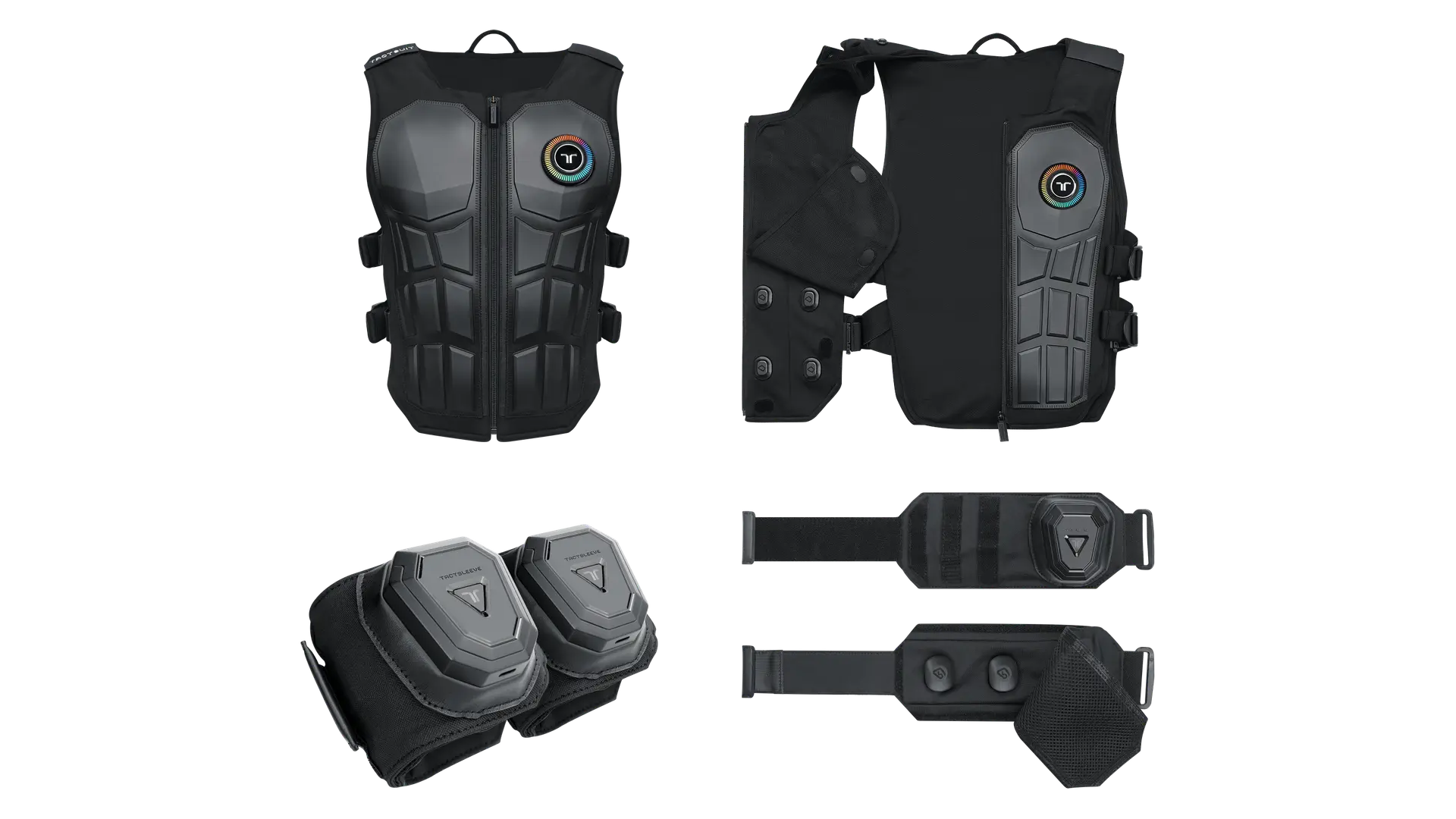
Upon closer inspection, it became increasingly clear that the products exude quality; the materials utilised, such as fabric, rubber, and plastics, suggest that the product is crafted for longevity. The vest is equipped with two side straps on each side, allowing you to adjust it for comfort, no matter your body shape. Once you achieve the ideal fit, the vest’s zipper facilitates easy removal without needing to readjust the straps – so after finding comfort, it’s just a matter of putting it on and zipping up for any upcoming sessions. The materials of the TactSleeves are of the same high quality and are also designed for durability. The only distinction is that they feature one Velcro strap, but that’s all it requires to secure it around your arm.
The TactSuit Pro is equipped with thirty-two ERM Motors, featuring sixteen on the front and sixteen on the back, ensuring it is well-balanced and evenly weighted. This design allows the vest to remain comfortable and feel lightweight during use, making it suitable for both short and extended gaming sessions. Each TactSleeve contains three ERM Motors, which are evenly distributed around your arm when you secure them to your preference. They also feel comfortable and light when worn – the only difference is that you need to adjust them for comfort each time you wear them, but that process is quite straightforward.
Immersion and Benefit
As I noted before from my initial experience with the Tactot Vest years ago, I recognised the significance of haptics in virtual reality. bHaptics has been offering peripherals that enhance this aspect for quite a while, and they truly excel in this area. The pairing of the TactSuit Pro and the Tactsleeves creates an outstanding experience.
Having been around for quite some time, bHaptics has successfully amassed an impressive library of over two hundred and seventy (+) supported games across PCVR, Meta Quest, and PlayStation VR2. Notably, PCVR boasts the most extensive support, while Quest and PlayStation VR2 offer more limited options. Each of these supported titles is designed to utilise the haptic motors in the vest and/or sleeves effectively. For instance, in shooter games, the motors typically activate in the specific area of the body where you are hit, while the sleeves respond when you fire your weapon, complemented by a subtle vibration in your chest to mimic recoil. In contrast, a rhythm game might leverage the vest’s haptics to pulse in sync with the music, with the sleeves activating as you hit the incoming notes.
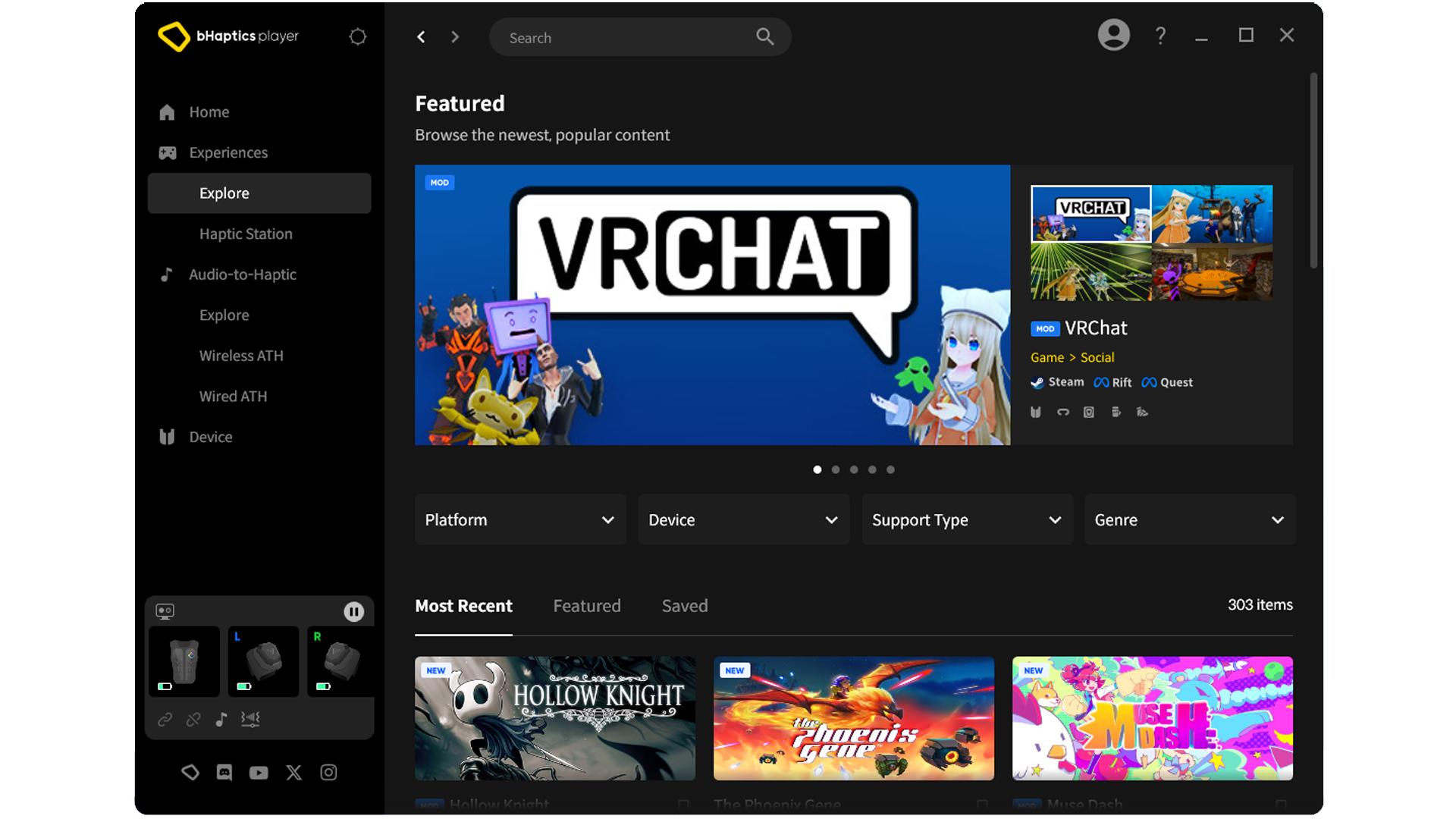
In addition to the range of natively supported or modified games (PCVR only), they provide an Audio to Haptics feature. This feature transfers audio into haptic feedback in the vest – however, the sleeves are limited to PCVR Audio to Haptics mode only. To maximise the effectiveness of this mode, you may need to adjust some settings within the games or the bHaptics desktop or mobile application.
Testing The bHaptics FPS Bundle
In this review, I examined a variety of games that are natively supported on all compatible platforms, assessed the Audio to Haptics feature for each platform, and experimented with different mods on PCVR. To provide the most comprehensive perspective, I refrained from playing the same games on multiple platforms.
Steam VR
Let’s begin with the platform that offers the greatest support (225 games). I tested all the games via Steam VR, although there are a few games that are natively supported on the Meta PC Store.
Set-Up
Setting up PCVR is quite simple. First, you need to download and install the bHaptics Player on your PC. Upon launching the player, it will guide you through the process of pairing your devices with it, which is done through a Bluetooth connection – you can either use the internal Bluetooth (if your PC is equipped with it) or connect the provided dongle. After everything is successfully paired, you are all set to begin.
Native
In my experience with native PCVR games, I tried out Arizona Sunshine Remake, Hubris, Sniper Elite VR, Onward, and Ragnarock. Each of these games effectively utilised both the vest and sleeves to enhance immersion. Yet, the one that truly impressed me was Hubris; the developers did an outstanding job with its implementation. The vest not only indicates when and where you’ve been hit but also provides a subtle recoil sensation and a pulse in your arms when you fire your weapon during combat. If you fall from a height, the vest vibrates, and placing items in your inventory causes a slight buzz on your back. Additionally, both the vest and sleeves simulate the sensation of swimming when required in the game. Ragnarock was intriguing as well, as the team opted to use the vest to replicate the impact of hitting the drum instead of syncing it to the song’s beat, which I found to be quite effective.
Mods
As previously mentioned, PCVR offers the additional option of mods for games, including games that have been modded for VR. For this test, I explored Crysis VR, Half-Life: Alyx, Resident Evil, and Beat Saber. The Alyx mod is exceptionally crafted, featuring effects for being hit and firing your weapon. The sleeves provide a subtle rumble when you collect items, and the haptics effectively simulate the action of retrieving and placing objects over your shoulder. The pattern that runs on the vest and sleeves during healing is the most impressive I’ve encountered in any game. Another highlight was experiencing Resident Evil VII with the haptics activated; this enhanced the already terrifying game, making it feel even more immersive, particularly in terms of the damage sustained and the sensation of firing weapons – it truly elevates the experience.
Audio To Haptics
For Audio to Haptics, I explored Le Mans Ultimate, Metro Awakening, Lone Echo, Spin Rhythm XR, and Halo VR. As previously mentioned, PCVR is the sole platform that has integrated this Audio to Haptics feature for the sleeves. However, it’s important to note that this functionality isn’t limited to hand actions alone; in many instances, you may prefer to disable them and rely solely on the vest. That said, they truly shine in racing games, where the haptics in both the vest and on your wrists significantly enhance immersion. When you combine Audio to Haptics with the vest and sleeves in Le Mans Ultimate while using a steering wheel, it elevates an already impressive Sim Racer experience even further. In rhythm games, it effectively captures the pulse and beat of the music, while for other genres, some adjustments to the game settings and the bHaptics player audio levels are necessary to achieve a satisfactory experience, though they still fall short of perfection.
Meta Quest 3
Next in line is the Meta Quest 3, which boasts a greater number of natively supported titles (127 games) compared to the PSVR2.
Set-Up
Once more, the setup is quite simple. First, download the bHaptics Player App from the Meta Quest Store. Next, connect the vest and sleeves through the Bluetooth settings on the Quest. Launch the bHaptics Player App, and it will show that the devices are successfully paired. You are now all set to enjoy games that are natively supported.
Native
In the games that are natively supported, I experienced ARK and ADE, VRacer Hoverbike, Espire 2, Sniper Elite VR: Winter Warrior, and Smash Drums. Once again, the native integration in these titles significantly enhanced the immersion. The shooter games featured the expected integration, but Sniper Elite VR: Winter Warrior offered a few additional effects compared to Sniper Elite VR on PCVR. On the other hand, with VRacer Hoverbike, I felt that the sleeve feedback could have been more robust, as it appeared quite weak when compared to the vest. Additionally, while Smash Drums was implemented similarly to Ragnarock, I tried the Audio to Haptics mode on PSVR2. Although it lacked sleeve support when striking the drums, the music sensation was greatly amplified, making it my favoured way to play.
Audio To Haptics
To activate the Audio to Haptics mode on your Meta Quest, you must utilise the TactSuit audio accessories that are included. First, connect the splitter to the audio jack on your Quest. Then, plug in your headphones into one of the splitter’s ports, and from the other port, connect one end the provided cable and the other end to the back of the vest.
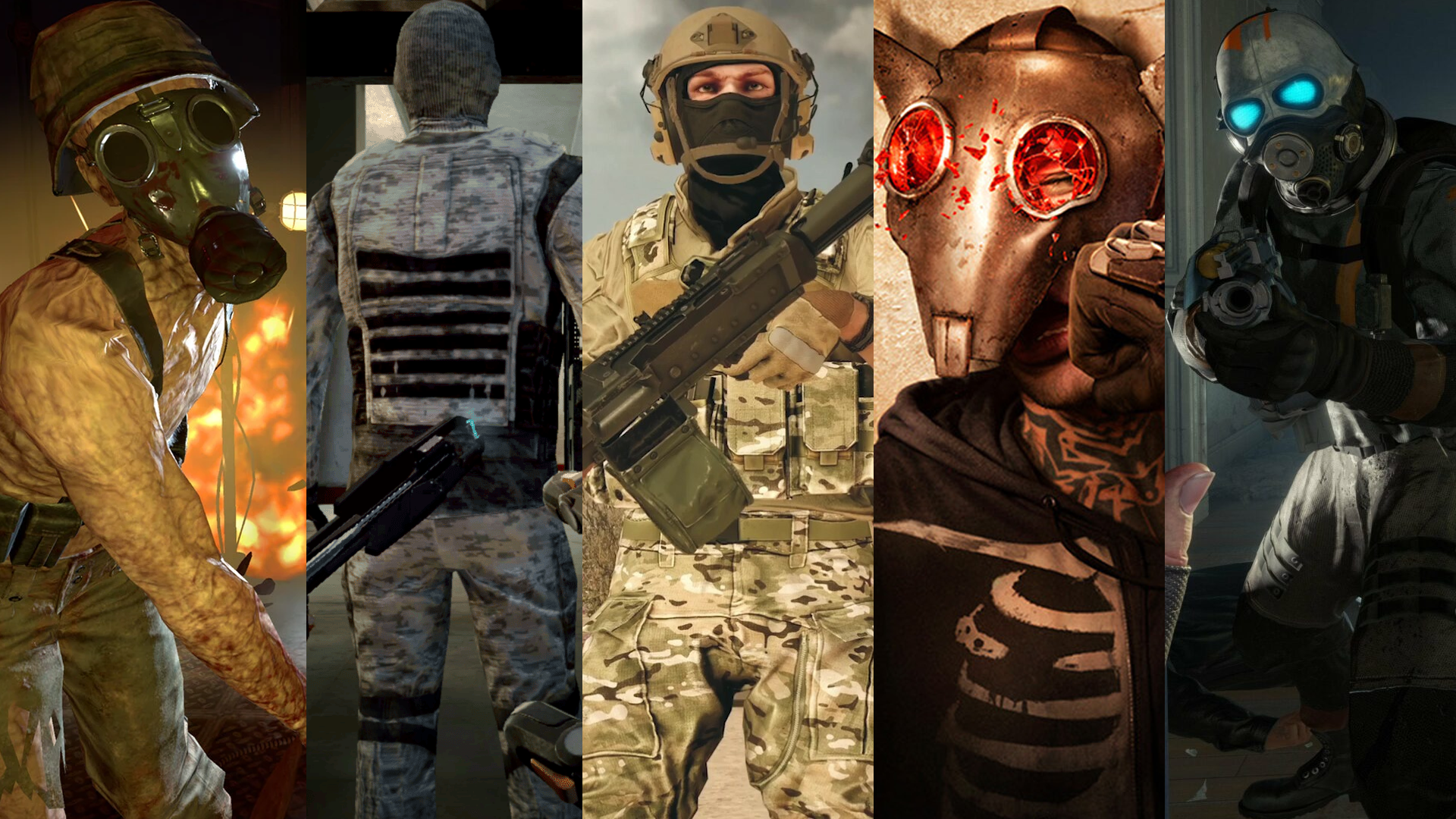
When it came to converting Audio to Haptics, there were two games I was eager to try right away: Camouflaj’s Batman: Arkham Shadows and Iron Man. Batman performed excellently with just a few minor audio adjustments in the settings, but Iron Man truly amazed me. With some slight audio tweaks, it became incredibly immersive, even in the transition from Audio to Haptics. The sensation of the thrusters was fantastic, especially since their volume varied based on distance—bringing them closer intensified the vibrations. Another game that surprised me with its effectiveness was Starship Troopers: Continuum; all it took was turning off the music in the audio settings, and it felt fantastic. I also explored Pistol Whip, which utilised the pulse and rhythm of the music through the vest. Finally, I wanted to try the often-overlooked horror game Lies Beneath, as its atmosphere seemed ideal for the vest. While it worked well, the overwhelming noises and ambiance detracted from the overall experience.
PlayStation VR2
At last, the PlayStation VR2 is here, currently featuring a modest selection of natively supported titles (18 games). However, I remain optimistic that some of the cross-platform titles with existing support will eventually be included in the PSVR2 lineup.
Set-Up
To set up, simply install the bHaptics Player for Mobile on your smartphone. Open the bHaptics Player and pair your vest and sleeves. Ensure your mobile device and PS5 are connected to the same Wi-Fi network. Launch the games that are natively supported, then tap the Start Button in the bHaptics Player on your phone to confirm the connection.
There is one concern regarding the PSVR2’s connection method, as it relies on WiFi instead of Bluetooth. This can lead to a minor delay in feedback on native games. While it’s often not very noticeable, there are moments when it becomes quite apparent. I wish Sony would allow the PS5 Bluetooth to be more compatible with other devices, as this would negate this problem.
Native
For PlayStation VR2, I tested every game I had from the 18 that are supported, including Zombie Army VR, UNDERDOGS, Master of Light, Synth Riders, and Epic Roller Coasters. Zombie Army VR was impressive, featuring all the standard bHaptics integration for shooting games, along with the sensation of placing and retrieving items from over your shoulders, and each gun providing a unique feel. During my testing, I observed that Rebellion has been gaining insights with bHaptics while developing these games, as Winter Warrior had more features than Snipe Elite VR, and now Zombie Army VR surpasses Winter Warrior. UNDERDOGS feels amazing, as it primarily focuses on the sensation of collisions in the sleeves and damage in the vest – which is all it needs to be effective, and with the addition of headset haptics, you feel completely equipped. Epic Roller Coasters took me by surprise as well, with the excellent haptics replicating the vibrations of the cart on the tracks. When you interact with the shooting features, the sleeves create the feeling of firing the guns, and I was astonished by how much additional immersion can be infused into a roller coaster game. Synth Riders combines the music pulse and beat in the vest, while the wrists vibrate when you hit the orbs – which I believe is the best combination for rhythm games. Finally, Master of Light accurately replicates each shot in the sleeves, and the vest rumbles when you take damage, but this didn’t draw me into the game any further – though this might simply be due to my lack of interest in the gameplay or the game itself.
Audio To Haptics
The Audio to Haptics feature on the PlayStation VR2 operates the same to that of the Meta Quest.
Based on my experience with Lies Beneath through Audio to Haptics, there was one horror game I felt compelled to try: Madison VR. This game is undoubtedly the scariest horror experience I’ve ever encountered, primarily due to its chilling atmosphere and unsettling sounds that play tricks on your mind. The addition of haptics through Audio to Haptics enhanced the horror element significantly. Even though I had previously played it, the sense of unease was still palpable, and the haptics only intensified that feeling. Next, I was eager to explore what I consider their best exclusive title, Synapse. This game also thrives on its atmospheric tension, combined with intense action and telekinesis. The integration of Audio to Haptics worked seamlessly here as well, allowing me to feel the vibrations in the vest while using telekinesis, all without any adjustments to the game’s volume. I was particularly impressed by how well Moss Book II performed. By simply lowering the music volume to a subtle background level, the rumbling sounds in the environment took centreSkydance stage, creating a fantastic auditory experience. I then faced the first Behemoth in Skydance’s Behemoth. Feeling the stomps through the vest was exhilarating, but I believe some adjustments to the audio levels are necessary to optimize the experience further. To wrap things up, I had to play Tetris Effect, which boasts one of the finest soundtracks in gaming. Experiencing the music through the vest while playing was an incredible experience that everyone should try at least once.
The Verdict
The bHaptics FPS Bundle exemplifies why bHaptics leads the haptics industry with their offerings. Over the years, the enhancements and improvements they have implemented have made their products lighter and more comfortable, while maintaining the same high quality and increasing immersion in games. Their long-standing position at the forefront of the industry has allowed them to amass an impressive array of native games, modded titles on PCVR, and they building a decent library of supported games for PSVR2. Based on my experience with their products and the FPS bundle, I believe that shooting games benefit the most from these products. However, even if shooting isn’t your preference, the immersion advantages in all natively supported games are significant. Additionally, if you enjoy experimenting, the Audio to Haptics feature available on every platform is something you can utilise. While it may not match the perfection of a natively supported game, it still offers some immersive advantages. The bHaptics team clearly recognises the vital role of haptics in virtual reality through their products, and regardless of the platform you own, the FPS Bundle will provide excellent value. I am confident that we will see many more natively supported games added to their collection in the years ahead. If you’re seeking an enhanced level of immersion, bHaptics should be at the top of your list.